¶ AutomationView
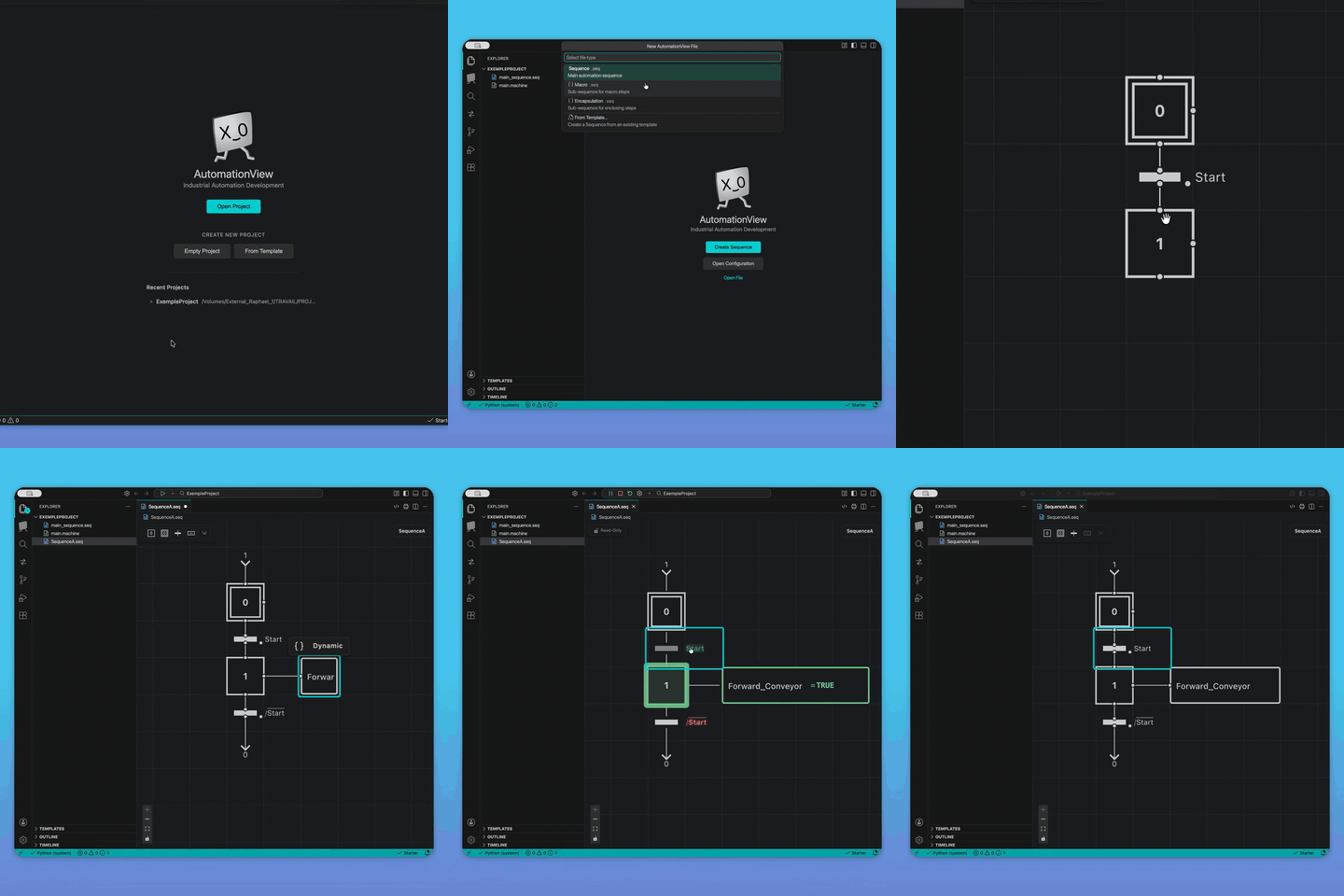
Stop fighting clunky vendor software just to draft an SFC or Grafcet sequence. AutomationView is the modern desktop sequence editor for industrial automation engineers.
Design, simulate, and debug your PLC sequences instantly without connecting to physical hardware, then export them cleanly to TIA Portal, Studio 5000, or CODESYS.
¶ Why AutomationView?
You do not need to replace your main PLC development suite. AutomationView is built to sit alongside it as your high-speed pre-development environment.
- Tired of testing on live production machines? Simulate your logic locally first.
- Tired of
Sequence_Final_V4.scl? Use our native Git integration for proper team collaboration. - Tired of sluggish vendor interfaces? Enjoy a modern, fluid, and lightning-fast editor.
¶ Key Features
- Graphical Sequence Editor - An intuitive visual editor for designing and editing sequences, built around diagram-based interaction.
- Simulation - Test your sequences without connecting to physical hardware. Run simulations directly within the editor to validate logic before deployment.
- Smart Completion - Conditions and actions are suggested based on variable analysis, helping you write faster and with fewer errors.
- Conceive - Build your sequence in the graphical editor, with smart completion for conditions and actions.
- Simulate - Test your automation logic in real-time simulation without a physical PLC.
- Export - Easily deploy your logic; the editor is based on SFC and offers an open format. The user programs exactly how they want to.
- Git Integration - Collaborate on automation projects using standard version control workflows. Track changes, manage branches, and review sequence history with built-in Git support.
- Extensible Environment - AutomationView is built to grow with your needs. Its architecture supports a wide range of extensions and customizations, giving you room to adapt the tool to your workflow.
- Step Navigation - Jump to any step definition with a single click, and see every place a step, action, or variable is used across your project in the References panel.
- Internationalization - The interface is available in English, French, German, Spanish, and Portuguese.
¶ What's Ahead
AutomationView is actively developed, with new capabilities planned across simulation, collaboration, and PLC integration. To see what's in progress and what's coming next, take a look at the roadmap.
¶ Sections
- Features - Core capabilities of AutomationView
- Guides - Step-by-step tutorials and walkthroughs
- Reference - Commands, instructions, qualifiers, and settings
- FAQ - Frequently Asked Questions
¶ Quick Links
- Your First Project - Build a pneumatic transfer station from scratch
- Sequence Editor - Visual diagram editor
- PLC Emulation - Test without physical hardware
- Variable Management - Define and track project variables